
Field Service Management System for Alarm Companies
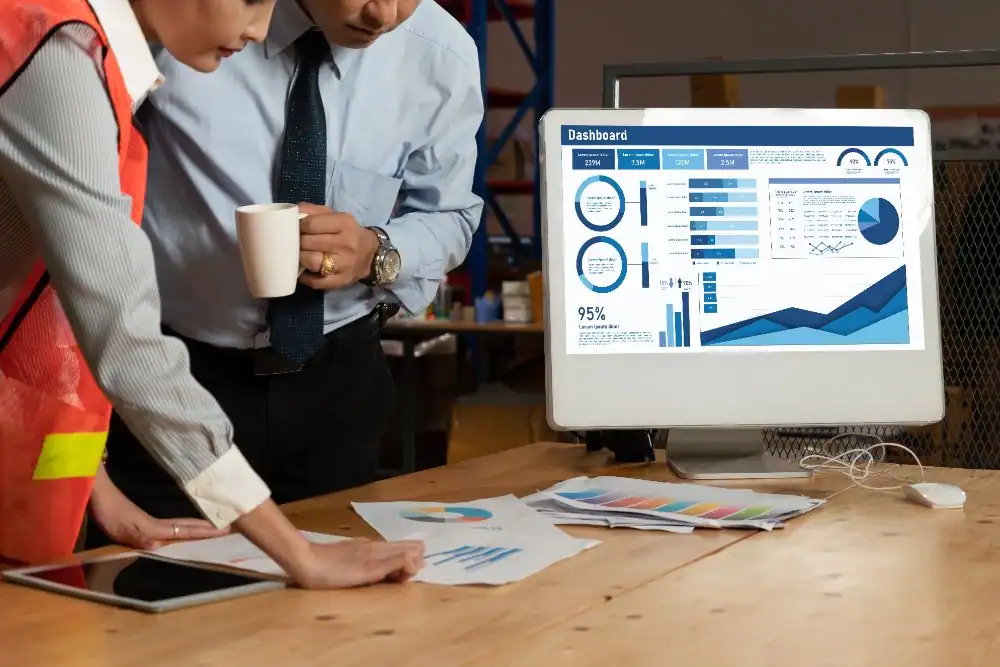
Running a security alarm company means juggling constant movement between the office and the field. On top of that, your business must coordinate monitoring connections and technician schedules without delays or errors. When these processes rely on outdated methods, time and revenue are lost.
Field service management software keeps office and field teams connected in real time. When a technician completes an installation, updates flow directly into your billing system without the need for manual data entry.
In this guide, we will explain what field service management is from an alarm industry perspective and show you why specialized tools make a real difference. You will also see the two primary types of systems used in the alarm industry and how each one impacts daily operations.
What is field service management software?
Field service management (FSM) software is a digital system that helps businesses organize and manage operations performed at customer locations. It centralizes technician scheduling, dispatching, work orders, customer information, and billing. For alarm companies, FSM software helps coordinate installations, maintenance, and service requests while improving communication between office staff and field technicians.
How Field Service Management Works
FSM organizes every stage of a service request into a structured workflow, from the initial request to job completion. This process typically includes four stages.
Request and Entry
A customer contacts the office with a service request. Staff enter the request into the FSM system, which retrieves the client’s equipment profile and service history.
Scheduling and Dispatch
The system assigns the most suitable technician based on skill set, availability, and real-time location using GPS tracking.
Execution
The work order is delivered to the technician’s mobile device. The technician travels to the site, completes the task, records relevant details, captures images if needed, and collects a digital signature.
Reporting and Billing
Once the job is completed, the office receives a real-time notification. An invoice is generated automatically, and the client’s Recurring Monthly Revenue (RMR) profile is updated.
Industries Using FSM
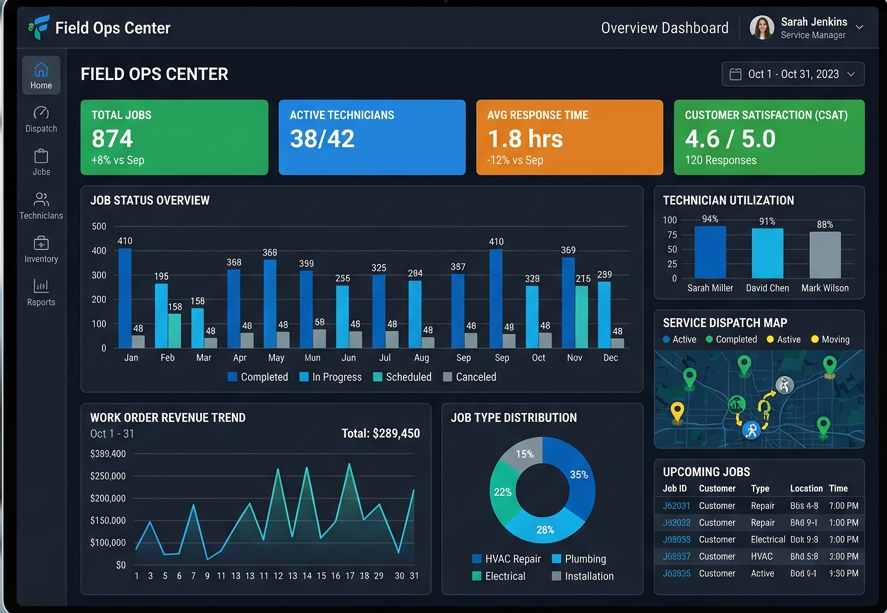
FSM is essential in the security and alarm industry and is widely used across businesses that rely on mobile workforces.
Security and life-safety teams use it to monitor station integration and system certification. HVAC and plumbing companies use it to manage emergency service calls and routine maintenance. Telecom providers rely on it to coordinate fiber-optic installations and network deployments. Healthcare organizations use it to maintain medical equipment and facility infrastructure. Utility companies depend on it for field repairs and meter management.
Common FSM Challenges
Managing field operations introduces several operational challenges, even with planning in place.
Communication gaps often occur when office staff and field technicians operate in separate workflows. This can result in delays in updates, such as the office lacking visibility into job progress or completion status.
Routing inefficiencies are another common issue. Without GPS-based dispatching, technicians may follow inefficient travel routes, increasing fuel costs and reducing the number of jobs completed per day.
Manual paperwork also creates errors. These include lost invoices, unclear technician notes, and unrecorded parts or service charges that impact billing accuracy.
Integration challenges can further complicate operations. Many companies use separate systems for CRM, accounting, and monitoring, which results in duplicate data entry and increased administrative workload.
What Are Different Types of Field Service Solutions?
Field service platforms vary widely in how they are designed and who they serve. Some are built for general trades like plumbing or HVAC, while others are tailored to the specific operational and compliance needs of security and fire alarm companies. Understanding these differences helps you choose a system that supports your workflows instead of forcing workarounds.
Here are the two main types of field service solutions.
Traditional On-Site Systems
Traditional on-site field service systems run on a physical server located in your office rather than in the cloud. These systems are often slower and harder to maintain. Your team must manage backups, security, and software updates internally, and field technicians usually need a VPN to access critical data remotely.
As a result, many modern alarm companies find on-site systems too rigid for a mobile workforce that depends on speed and real-time access.
Cloud-Based Field Service Platforms
Cloud-based systems store your data on remote servers accessible over the internet. Most alarm companies now prefer this option because it works from any location with a connection. Your office staff can update a schedule, and your technician sees the change instantly on their tablet.
This means real-time syncing across your entire team. Your billing department receives job completion updates immediately, rather than waiting for technicians to return to the office with paperwork.
Benefits of Field Service Management Software
The biggest reason to switch from traditional software to field service management software is efficiency. You want to spend less time on admin and more time growing your subscriber base. When you look at the benefits of field service management software, the most obvious win is having a clear view of your entire operation in one window. Here are the key benefits of using field service software.
Streamlined Scheduling and Dispatch
Field service software makes scheduling much easier for alarm companies. You can see which technician is closest to a service call and assign jobs accordingly.
The system lets you drag and drop appointments based on location. It saves fuel costs and helps you meet your service commitments on time. Your team receives instant notifications on their phone with the customer’s gate code and equipment history before they leave for the job.
Automated Billing and RMR Tracking
For alarm companies, RMR (Recurring Monthly Revenue) depends on accurate and timely billing. If you miss a billing cycle due to a lost document, you are losing money you can’t get back. A reliable software for field services connects your fieldwork directly to your accounting. When a technician completes a job, the software can automatically generate an invoice or update the customer’s recurring billing profile without duplicate data entry.
Centralized Customer Information
Field service software keeps all customer data in one place. The single point of data entry helps you avoid mistakes and duplicate work. When a customer updates their phone number, the system automatically changes it across your CRM, billing, and monitoring station integrations.
Your technicians can access the complete service history from their mobile devices. They will know exactly which sensors or control panels were installed during previous visits without calling the office.
Better Communication Between Office and Field
Miscommunication is a major cause of failed service calls. Digital tools allow for instant notes and photo uploads. A technician can take a picture of a wired panel and attach it to the job file. This approach helps the next person who visits that site know exactly what they are walking into.
Potential Challenges with Field Service Systems

Every new system comes with some challenges. You need to be aware of these before you make the switch. The process of moving your data from an old system or spreadsheet requires time and effort.
Initial Setup and Team Training
Some technicians may be accustomed to their existing workflows, which can make change feel disruptive at first. Demonstrating how a mobile app simplifies daily tasks helps build quick adoption. A user-friendly platform allows teams to adapt faster, with most technicians becoming comfortable within a few days of regular use. The key is choosing software that prioritizes simplicity over unnecessary complexity.
Integration with Central Stations and Accounting Tools
Field service management software needs to work with the systems you already use. Many platforms struggle to connect properly with central monitoring stations. These data gaps force your team to enter information multiple times.
Your billing may not sync with job completion records, resulting in missed invoices or incorrect RMR charges. Choose a platform that offers direct integrations with your monitoring providers and tools like QuickBooks. Without these connections, you lose the primary benefit of automation and end up with more work, not less.
Future Trends in Field Service Management
The industry is moving away from reactive service models toward more proactive approaches.
Predictive maintenance is becoming a key driver, where AI analyses data from IoT sensors to identify potential issues before equipment failure occurs. Augmented Reality (AR) is also improving field operations by allowing experienced engineers to guide technicians remotely in real time.
These advancements are shifting the industry toward outcome-based service models, where companies focus on delivering consistent system performance rather than simply completing individual service tasks.
How to Choose FSM Software
Selecting the right Field Service Management software is a long-term decision that directly affects operational efficiency.
Key factors to evaluate include:
- Mobile accessibility: The application should function offline so technicians can access information in areas with limited connectivity.
- Industry-specific features: Alarm companies require features such as RMR tracking and integration with central monitoring stations.
- Ease of integration: The system should integrate with existing tools, including accounting platforms like QuickBooks and lead management systems.
- Automated reporting: The software should provide clear insights into technician performance, travel time, and job profitability.
Conclusion
At the end of the day, understanding what field service management goes beyond apps and route maps. It is about professionalizing your alarm company so you can compete with the big national brands. You need a system that reduces errors and keeps your technicians productive.
Investing in dedicated software for field services is how you move from a hustle to a scalable enterprise. By centralizing your data and automating your billing, you free up your time to focus on sales and high-level strategy.
If you want to see how this system works for your specific business model, check out WorkHorse SCS. We provide the specific tools that alarm dealers need to protect their accounts and grow their revenue year after year.
Frequently Asked Questions
What is Field Service Management (FSM) software?
FSM software is a digital platform that manages field operations, including dispatching, scheduling, and technician tracking, within a single system.
What is the role of FSM software in a business?
FSM software connects office operations with field teams, ensuring work orders are completed efficiently, and customer data remains accurate and up to date.
What is the FSM software strategy?
An FSM strategy uses automation and data analysis to improve routing efficiency, reduce operational costs, and increase first-time fix rates.
What types of businesses benefit most from FSM software?
Businesses with mobile workforces benefit the most, including alarm companies, HVAC contractors, telecom providers, and utility services.
What is a field service management system?
A field service management system is software that helps businesses coordinate field technicians, scheduling, dispatching, work orders, customer information, service history, and billing from a centralized platform.
What is the difference between FSM and CRM software?
CRM software focuses on customer relationships and sales processes, while FSM software manages field operations and service delivery.
How does FSM software improve customer satisfaction?
FSM software improves response times, enables reliable service scheduling, and maintains clear communication, leading to better customer experiences.
How is FSM software priced?
Most FSM software providers use a subscription-based pricing model, typically based on the number of users or technicians.
What should I look for when choosing an FSM software vendor?
Key considerations include system integration, mobile performance, reporting capabilities, and industry-specific functionality, particularly for alarm and security businesses.
Let us help you streamline your operations and achieve greater success with our all-in-one software solution.

We are your Single Point of Data Entry