
How Real-Time Inventory Visibility Reduces Job Delays for Alarm Companies

Running an alarm business gets frustrating when your office staff and field technicians work from entirely different inventory numbers. Miscounts lead to late installations, wasted trips for missing parts, and delayed billing, all of which stall your cash flow.
Real-time inventory visibility gives your entire team a current view of the panels, sensors, communicators, and other installation equipment you have, where they are located, and what purpose they serve.
This guide explains how this visibility helps your schedule run on time and prevents inventory problems from slowing down your installations.
Key Takeaways
For alarm companies, real-time inventory visibility solves job delays in these practical ways:
- Teams check hardware availability before adding installations to the schedule
- Better stock visibility helps dispatchers consider available parts when coordinating technicians and work orders.
- Teams can monitor stock levels earlier and reorder critical hardware before shortages affect scheduled jobs.
- Technicians resolve more issues on the first visit, cutting down on repeat trips
- Crews stage parts in advance and complete installations on time
- System turn-ons move faster, so recurring monthly revenue (RMR) starts sooner
- Companies do not overstock, keeping cash free instead of tied up in truck beds
- Customers get timelines they can count on, which builds trust over time
What Is Real-Time Inventory Visibility?
Live inventory visibility helps you understand what parts you have, where they are, and if they’ve already been designated for a job. Depending on the software your business uses, live inventory visibility can provide insight into equipment stored in:
- Warehouses
- Supply rooms
- Technician vehicles
- Customer job sites
A real-time inventory visibility system distinguishes itself from spreadsheets or paper sign-out sheets by tracking inventory the moment your team receives, assigns, transfers, uses, or returns an item.
For example, it can record a shipment when warehouse staff check it in, hold a panel when dispatch assigns it to a work order, or remove a sensor from available stock when a technician registers its use on-site.
For an alarm business, that shared visibility helps the office, warehouse, and field teams work from the same inventory information.
How Does Poor Inventory Visibility Cause Job Delays for Alarm Companies?

When inventory records don’t match what is actually sitting on your shelves or in your vans, small tracking mistakes can quickly turn into expensive field delays. Here is how common inventory problems may impact your field operations and your customers:
Inventory Problem | Operational Result | Effect on the Customer |
Outdated inventory records | Warehouse staff cannot locate required panels. | Installation appointments may get delayed. |
Untracked van stock | Office staff orders unnecessary replacement parts. | Job costs rise, and timelines stretch |
Unreserved equipment | A technician takes parts meant for another job. | Crews arrive at job sites missing key items. |
Unnoticed low stock | Purchasing reacts only after stock runs out. | Multiple installation jobs may need to be rescheduled. |
Faulty parts listed as active | Technicians receive damaged or returned gear. | Repeat service visits become necessary. |
How Real-Time Inventory Visibility Reduces Job Delays for Alarm Companies
Real-time inventory visibility gives your scheduling and dispatch teams a chance to catch problems before technicians head to a job site. It protects your daily calendar in several practical ways:
Confirm Parts Before Scheduling a Job
Booking an installation without checking if hardware is actually in stock usually ends in headaches.
Real-time inventory visibility lets your dispatch team check that every panel, sensor, and communicator is sitting on the shelf or already on a delivery truck before putting a date on the calendar.
Such visibility makes it less likely that missing hardware will force a last-minute reschedule.
Match Technicians and Equipment to Each Work Order
A technician might be a master at commercial access control, but if their van lacks the specific expansion modules for the build, the drive-over is a complete waste.
Live tracking shows dispatchers exactly what hardware is there in every truck in your fleet. They can match jobs based on both technician skill and available van gear, saving your team from mid-day runs back to the shop.
Keep Installation and Service Schedules Moving
If a technician realizes mid-job that they are two sensors short, everything stops. They either waste an hour driving back to headquarters, hit a local supply house, or leave the job half-done.
Linking parts to upcoming work helps teams check what they need before technicians leave, so they can avoid unnecessary supply runs during the job.
Avoid Unnecessary Overstocking
When your team cannot confirm how much equipment is actually available, purchasing staff may order extra panels, sensors, or communicators to avoid running short on upcoming jobs. That traps working capital in extra panels sitting on warehouse shelves or in the back of a truck.
Clear visibility shows your real usage rates, so you keep accurate stock without worrying about running short on job day.
Reduce Warehouse Bottlenecks at Morning Rollout
When techs spend 45 minutes every morning hunting through shelves for parts, your entire schedule is running late before the first truck even starts.
Real-time inventory visibility streamlines staging so parts are pre-assigned and ready for pickup the moment crews arrive. Technicians hit the road faster, arrive at customer sites on time, and keep the rest of the daily route running as planned.
6 Practical Tips to Improve Inventory Visibility Without Disrupting Operations
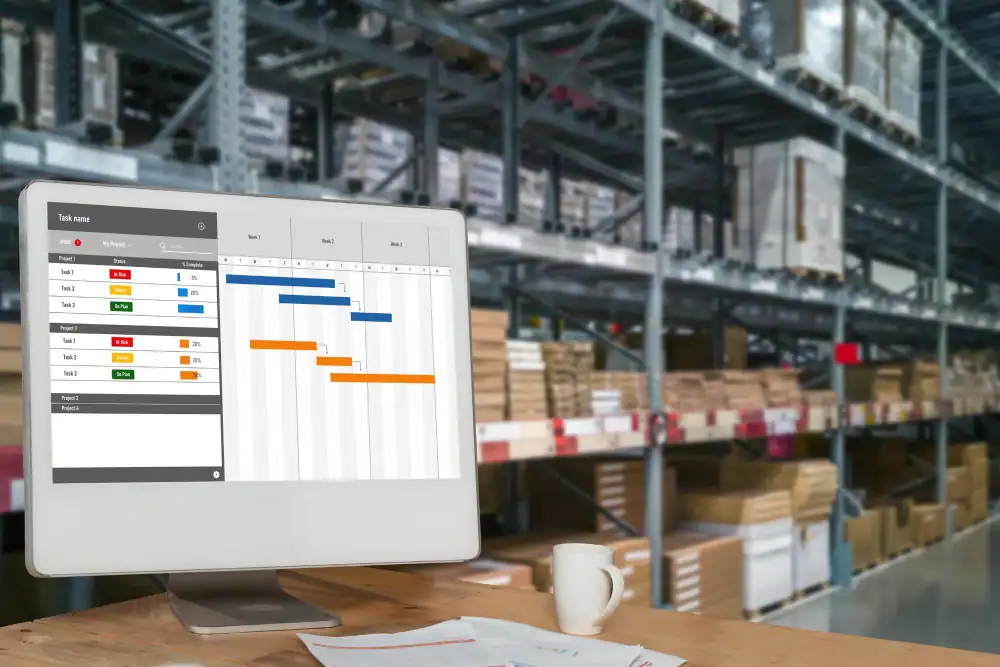
You don’t need to stop your business for a big audit to improve your inventory management. A few easy steps can help you build better habits across your team while keeping daily jobs going:
Focus on High-Use and Job-Critical Components
It helps to focus on logging high-cost or high-demand hardware first, like:
- Panels
- Cell communicators
- Core sensors.
Once your team gets used to logging these big items, adding smaller parts like wire rolls or brackets is simple.
Standardize Item Names, SKUs, and Storage Locations
When field technicians and warehouse staff use different names for the same equipment, they can struggle to identify, locate, or assign the right item to a job.
You can set up uniform SKUs, clear descriptions, and labeled bin locations in both your main shop and service vans so everyone speaks the exact same language.
Set Up Separate Inventory Locations
Treating your main warehouse, secondary storage units, and individual service vans as distinct stock locations helps a lot. Knowing that five panels are available is useful, but knowing whether they are in the warehouse or assigned to a particular van is much more useful when dispatching a job.
Connect Inventory Records With Work Orders
Isolated inventory tools usually turn into an extra administrative headache. Connecting stock directly to your work orders or pairing it with integrated accounting software for security alarm companies can automatically pull items off your count as technicians close out tickets, keeping numbers accurate without extra manual typing.
Roll Out the Software in Stages
Forcing a new system on your entire company overnight usually causes friction. It is much better to first run a trial with two or three technicians and a warehouse manager and remove any workflow problems before bringing the rest of the company on board.
Train Office and Field Teams Around Simple Workflows
Your software is only as good as the team using it. Mobile steps should be quick and painless for field crews so they actually use the app, giving your back office clean data to work with every day.
Common Inventory Visibility Mistakes Alarm Companies Should Avoid
If you want clean inventory numbers and less wasted time, try avoiding these three common mistakes:
- Mixing Broken Gear into General Stock
When a technician pulls a bad panel or returned sensor off a job site and sets it back on a warehouse shelf without a bright red tag, someone else can grab it for a new install. That confusion can lead to another truck roll when the faulty part is assigned to a new job.
- Isolating Inventory Software From Scheduling Tools
If your stock-tracking software doesn’t integrate with the dispatch platform, office staff end up entering the same job and equipment data into multiple systems by hand, creating unnecessary administrative friction.
- Delaying Post-Job Inventory Reconciliation
When technicians delay logging installed equipment until days after a work order is completed, the stock records still show parts that are no longer available. That gap leaves inventory counts off for the rest of the week.
Wrapping Up
For security and alarm operators, real-time inventory visibility is about keeping your team on schedule and protecting your bottom line.
When your warehouse, office team, and road technicians run on the exact same live data, there are fewer wasted truck rolls and fewer billing delays that eat up profits.
Better inventory visibility is most useful when it connects with the rest of your daily operations. WorkHorse SCS, a purpose-built alarm company management platform, supports this broader workflow through its Single Point of Data Entry.
By linking leads, dispatching, stock tracking, and automated RMR billing in one central place, your staff can reduce duplicate data entry across connected workflows. As stock moves, customer records, tickets, and monthly billing update across your business automatically.
If you are ready to cut out job delays and clean up your daily operations, schedule a demo with WorkHorse SCS today.
Frequently Asked Questions
What are the most common inventory visibility challenges for alarm companies?
The biggest problem tends to be unrecorded truck stock, as well as late entries from field technicians and software tools that don’t sync with each other. When office staff rely on spreadsheets or paper records that aren’t updated consistently, stock counts quickly fall out of accuracy. The result is often a crew arriving on-site without the parts needed for installation.
How does alarm inventory management help field service?
Live stock tracking makes sure technicians have every panel, sensor, and supply item listed on the ticket before leaving the shop. It cuts out mid-day supply runs and keeps your install schedule moving on time.
Which alarm system components should companies track most closely?
Focus first on high-value and essential installation gear. That means control panels, cellular communicators, power supplies, expansion modules, and high-turnover items like motion sensors and door contacts.

Ready to transform your alarm business? Contact WorkHorse today for a FREE demo and consultation.
Let us help you streamline your operations and achieve greater success with our all-in-one software solution.

We are your Single Point of Data Entry