
How Alarm Management Software Boosts Operational Efficiency for Security Companies

If you are planning to integrate alarm management software to improve your operational efficiency, you might be wondering how exactly it does that. From where it makes the most impact to which areas of operations receive less benefit, you should be aware of all the differences it can make to your business.
That’s the only way to make the most out of such software. Otherwise, your staff productivity and field work may still face the same issues as before. So, let’s learn about the capabilities and features of alarm company software to maximize its potential.
What Is Alarm Management Software?
Alarm management software helps security companies manage the business side of their operations on a single platform. It centralizes customer records, scheduling, dispatching, service history, recurring billing, and reporting while integrating with central stations and other business systems. It allows monitoring staff to manage everything from a single interface. As a result, they don’t have to frequently switch between different tools and records to keep the system running.
Why a Single Point of Data Entry Matters
Every time your team manually copies customer details from one system to another, you lose time and risk human error.
With a single point of data entry, your customer records, billing, scheduling, dispatch, and service details stay connected in one place. You can enter the information once, and every department automatically works off the same accurate, up-to-date record.
How Does Alarm Management Software Work?
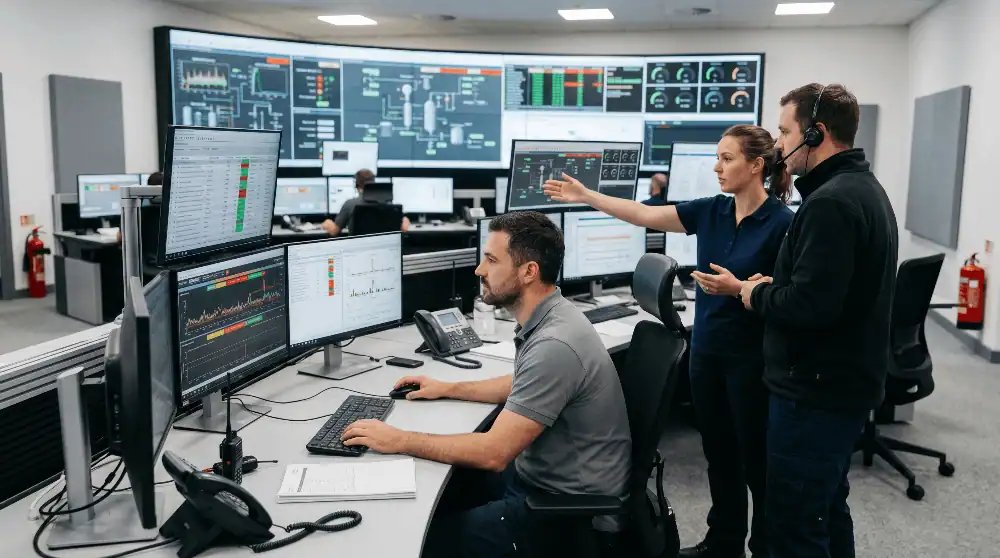
To understand how exactly an alarm management system improves operational efficiency, let’s first get familiar with its working process. Here is how it works:
1. Receives Alerts From Connected Security Systems
The very first step of its working process is to receive the incoming signals. These signals can be from
- Monitoring platforms
- Alarm panels
- Central stations
At the same time, other security equipment like video systems, fire detectors, and access control devices can also send signals.
2. Filters the Duplicate and False Alarms
Then, the software checks the incoming event against predefined rules and related signals. It may identify repeated alerts from the same device. Besides, a good system can detect signals that do not require immediate attention. That’s how it differentiates between real and false alarms.
3. Prioritizes Alerts Based on Risk Level
After that, the software ranks the incoming signals based on their severity. Trusted alarm management software is usually configured to classify alarms in compliance with the latest threat confirmation standards by the Monitoring Association. As a result, only the most serious events receive attention first.
4. Notifies the Appropriate Operator or Response Team
Once the software has determined the signal type, it instantly routes it to the correct person or team. For example, if it detects a burglary alarm, it immediately alerts the assigned operator for verification and dispatch. Similarly, if it is a fire alarm, the system forwards the signal to the respective response team without any delay.
5. Guides Staff Through the Required Response Procedure
An efficient alarm management system usually has a pre-built workflow to guide operators in emergency situations. For example, once the signal has been received by the right person, the workflow may direct them to the following step-by-step process:
- Verify the alarm
- Contact an authorized person
- Review video
- Notify emergency
- Dispatch a technician
- Test the account
6. Tracks and Records Every Action Taken
Every call, dispatch, and resolution gets logged automatically, creating a record for billing, compliance, and future audits. That’s the biggest operational advantage of alarm management software. Whenever you want, you can check when the alarm arrived and who reviewed it. Also, the time-stamped data for all operations remains available to you at any time.
Why Operational Efficiency Matters for Security Companies
For alarm companies, operational efficiency directly affects Recurring Monthly Revenue (RMR). Poor operational efficiency can directly affect your bottom line by causing:
- Missed invoices that delay cash flow
- Delayed service calls that reduce customer satisfaction
- Disconnected customer records that create billing and service errors
- Increased customer churn due to inconsistent service
A centralized platform helps protect recurring revenue while improving day-to-day operations.
According to a white paper by DMP published in 2025, 90% to 99% of alarm calls received by police turn out to be false and result in financial penalties. That means a security company might have to pay significant fines for false alarms, especially if they manage hundreds or thousands of accounts. That’s the reason why operational efficiency matters.
How Exactly Alarm Management Software Improve Operational Efficiency
There are many routine hurdles that make it difficult for security companies to operate efficiently. That’s where alarm management software comes in handy. It automates daily tasks that require frequent manual effort. Here is how it improves the efficiency of operations across all departments:
Centralizes Alarm Monitoring and Management
The most significant difference the software makes is probably by centralizing your monitoring and management. Your team can see customer details, job listings, and other important service records from one place. This means they don’t have to open up multiple portals or sheets to check different things. As a result, it saves both time and effort for your staff.
Reduces False Alarm Response Time
Without software that can help to verify alarm signals, your operators might spend extra time and energy on false alarms. However, once all alarms have been verified, there is no risk of wasting resources on false alarms. That instant response against unnecessary signals makes sure that your operators do not pay attention to what doesn’t matter at all.
Automates Routine Workflows
Another prominent benefit of field management software is that it removes the need to deal with repetitive tasks manually. It implements automation across your entire workflow. That means your staff do not need to make a new decision each time.
For example, software may automatically:
- Create a service ticket after a qualifying event.
- Send appointment reminders.
- Notify a customer when a technician is on the way.
- Generate an invoice after work completion.
- Start recurring billing on an active account.
- Sync payment data with accounting software.
- Escalate an unresolved event.
- Store signed agreements with the customer record.
Improves Dispatcher and Operator Productivity
When the software handles filtering and routing, dispatchers spend their shift making judgment calls instead of clicking through screens. With access to a centralized system, they can easily view technical availability and location status. Also, it becomes easier for them to know which jobs are still open and which service calls have been addressed.
Enhances Communication Between Teams
One of the most meaningful contributions of field service software for alarm companies is that it streamlines internal communication. Whether it’s a field technician, dispatcher, or any member of billing staff, everyone can see the same account history. That flexibility allows your staff to track every service call without engaging in unnecessary chats or calls.
Supports Faster Incident Response
Security companies often face delays in incident response, which mostly happens due to incorrect information. Alarm management software speeds up response by putting the correct information in front of the correct person as soon as an event occurs. From operator to dispatcher, everyone sees what they need and acts quickly to deal with emergencies.
Provides Real-Time Monitoring and Visibility
With routine sheets and notes, company owners or managers are most aware of only the number of service calls and closed jobs. However, dedicated software changes that by providing real-time information on all the key aspects of the alarm business.
For instance, its dashboard can show active data about:
- Active alarms
- Unresolved service issues
- Technician status
- Overdue work orders
- Failed payments
- Open leads
- Accounts on test
- Customer communication
- Billing and collection activity
Simplifies Reporting and Compliance
Fire alarm systems come with strict testing schedules under NFPA 72, including monthly visual checks and annual functional tests. Missing any of these tests can lead to a failed inspection or lapsed contract. A dedicated fire alarm inspection management software module tracks these deadlines automatically and keeps documented proof of every completed test on file.
That means you can instantly show all the needed data to an auditor by simply downloading the report. That level of data availability helps you to stay compliant with industry standards and local codes throughout the year.
Optimizes Resource Allocation
For security companies, operational inefficiency is not all about wasting time on false alarms or responding slowly to incidents. Instead, it also includes sending operators or technicians to sites where they work on low-priority tasks. However, when alarm routing and prioritization are already automated by software, the system sends the closest available technician to a job instead of the next one in a rotation.
Improves Customer Service and Satisfaction
When you respond to every customer call quickly and there are no billing errors due to automated invoicing, your customer trust starts to increase rapidly. In addition to response time, the ability to maintain an accurate service history with all-in-one alarm software helps you be transparent with customers. That added transparency is what keeps your accounts for longer and helps you to grow your RMR efficiently.
What to Look for in a Reliable Alarm Management Software?

There are multiple options available in the market, which is why it is a bit tricky for alarm companies to choose the right alarm management software. However, by looking for the right features and capabilities, you can make the right choice without needing extensive knowledge of such systems.
Here is what you need to watch out for and why it matters for your company:
Features | What It Matters |
Real-Time Monitoring | Lets managers see open alarms and technician status as they happen, not after the fact |
Smart Alarm Prioritization | Surfaces genuine threats first instead of treating every signal equally |
Workflow Automation | Cuts manual data entry across billing, scheduling, and service records |
System Integration | Connects with central stations, QuickBooks, and existing hardware without manual syncing |
Multi-Site Management | Supports companies managing accounts across several regions from one dashboard |
Mobile Accessibility | Gives field technicians and managers access from a phone or tablet, not just a desktop |
Reporting and Analytics | Turns raw alarm data into reports usable for compliance, billing, and business decisions |
Security and Access Control | Restricts who can view or edit sensitive account and billing data |
Reliable Vendor Support | Matters most during onboarding and any unexpected outage, when delays cost real money |
Mistakes to Avoid When Choosing an Alarm Company Management Software
Remember, choosing the wrong platform tends to cost more in migration headaches than it ever saves in monthly fees. So, make sure you make the right choice, and avoid the common blunders most security businesses make during the selection process.
Here are the mistakes alarm companies often make when picking the right software:
- Picking software built for a different industry and trying to force alarm industry workflows into it.
- Ignoring integration compatibility with an existing central station or accounting system.
- Underestimating the training time staff will need to actually adopt the new workflow.
- Choosing based on price alone without checking what support looks like after the sale.
- Not asking for a real demo and relying only on a sales deck or feature list.
To Sum Up
In short, the right alarm platform centralizes data, prioritizes events, automates routine work, improves field communication, and creates a clear record of every action. It also helps you protect RMR and provide more consistent service as your customer base grows.
If you are looking for a reliable option, WorkHorse SCS is here to meet your needs by providing a dedicated and purpose-built software solution. From lead management and dispatching to RMR billing and central station integrations, it has all the essential features a security company needs to run their operations smoothly. So, schedule a free demo today and see how it can make a difference to your operations.
Frequently Asked Questions
What is the IEC standard for alarm management?
IEC 62682 is the international standard commonly associated with alarm management in process industries. It covers alarm-system management throughout the lifecycle, including design, implementation, operation, monitoring, maintenance, and change.
Is alarm software suitable for small security companies?
Yes, alarm software is equally beneficial for all-sized security companies. It completely depends on your budget and level of operational difficulty. If inefficiencies in operations are costing you more than spending on alarm software, it’s better to invest in a system.
Can alarm software be integrated with the central station?
Most established platforms are built to connect with major central stations, so signals, dispatch information, and account updates sync automatically rather than requiring manual entry on both ends.
How long does it take to implement alarm management software?
It roughly takes 2 weeks to 12 months for a security company to fully integrate alarm management software into their existing systems. The exact time varies based on the data that needs to be migrated, the number of integrations, and other such influential factors.
Ready to transform your alarm business? Contact WorkHorse today for a FREE demo and consultation.
Let us help you streamline your operations and achieve greater success with our all-in-one software solution.

We are your Single Point of Data Entry